Automatic data deletion
Version 2.62.8 introduced automatic deletion of stored data for:
- Tasks (retention time of submitted answers)
- Task configuration from its end date (retention time of the task configuration from its end date)
- User activity (retention time of the activity history)
- Report storage (retention time of reports)
The configuration for deleting each type of data is described below:
1. Retention time of submitted answers (task executions - regardless of status - active, pending or completed)
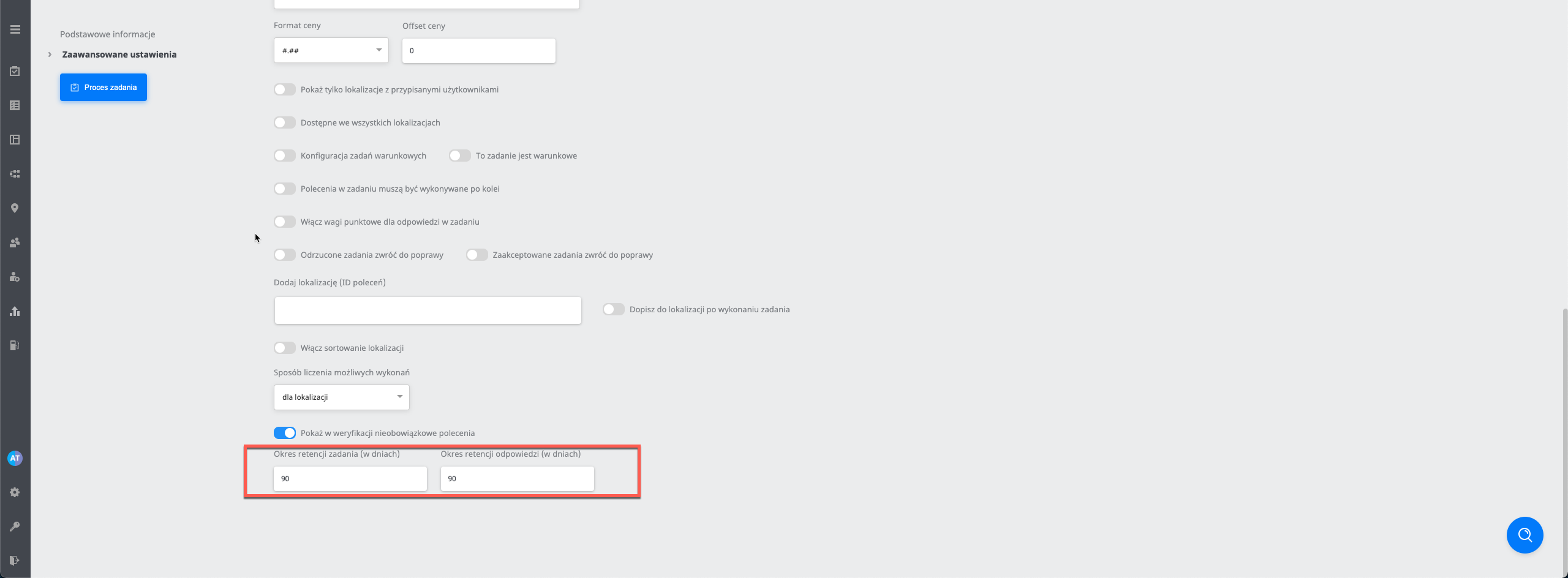
In the advanced settings, set the retention time of submitted answers. The default is 90 days, which means that all submitted answers* older than 91 days are permanently deleted.
*Submitted answers means the answers stored in the database and the generated photo files, except photos used as task hints
Parameters responsible for cleaning up task data:
- EnableAgentTaskCleanUpJob - turns on the job responsible for cleaning up AgentTask*
**(AgentTask = an execution in a task)
- MaxEnqueuedCleanAgentTaskJobs - maximum number of tasks handled in the AgentTask cleanup job
(Practical example: there are 500 tasks and 400 of them need their data cleaned up, so if this parameter is set to 70, only 70 will be handled when the data cleanup job runs at night, another 70 the following night, and so on.)
- MaxAgentTaskCleanedPerJob - maximum number of AgentTasks per task in the AgentTask cleanup job
(Practical example: if this parameter is set to 20 and there are 5 tasks that need cleaning up, each with 40 executions, 20 executions will be deleted from each task, and the next 20 the following night)
- RemoveAgentTaskToDateCommandAnswerBatchSize - batch*** size when processing AgentTasks in the AgentTask cleanup job
***Batch=series
(Practical example: This parameter specifies how much can be deleted from the database with one query (in one go). For example, if there are 10k answers that need cleaning up, they will not be deleted with one query but split into several batches/series)
- RemoveAgentTaskToDateBatchSize - batch*** size when processing AgentTasks in the AgentTask cleanup job
Note! COUNTERS: When answers are deleted, the task counters for completed and to verify change. (Practical example: there were 5 executions, the answers were deleted, and then the counters reset to zero.
2. Retention time of the task configuration from its end date
Each task has, in its advanced settings, a retention time for the task configuration from its end date. Default 90 days. This means that once a task has ended, we check whether the task end date (we take the oldest date from the LGS into account) is older than 90 days, and such a task (with its process) is permanently deleted (together with all its LGSs).
(Practical example: When a task reaches the “Completed” section, this parameter ensures that if it is set to, for example, 1, the task will be deleted once it is older than 1 day)
Parameters responsible for cleaning up data based on the retention time of the task configuration from its end date
- EnableTaskDetailsCleanUpJob - turns on the job responsible for cleaning up tasks
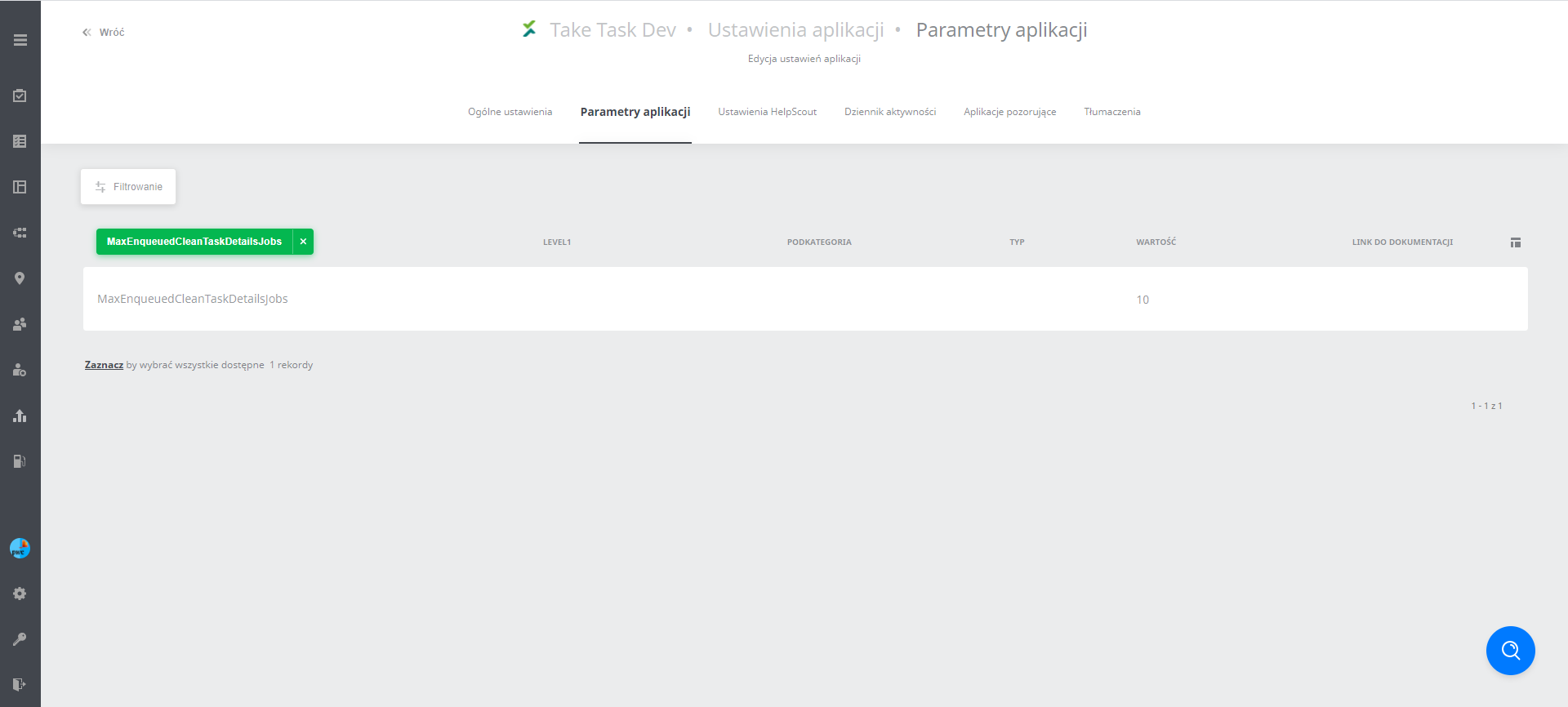
- MaxEnqueuedCleanTaskDetailsJobs - maximum number of tasks handled in the task cleanup job
(Practical example: If this parameter is set to 50 and 100 tasks already meet the data cleanup condition, the job will pick 50 of them when it runs at night, and the other 50 the following night)
3. Retention time of user activity (Activity history)
The settings of the whole application (Application settings -> activity log) currently hold the entire activity history in the web panel. Turning on data cleanup by default keeps data for up to 35 days back, after which it is permanently deleted.
Parameters responsible for cleaning up data based on the retention time of user activity in the activity log:
- RemoveAcitivityHistoriesToDateBatchSize - batch*** size when deleting the activity history
(Practical example: How much is deleted with one query at a time)
- EnableActivityHistoriesCleanUpJob - turns on the job responsible for cleaning up the activity history
- KeepActivityHistoriesRetentionInDays – how much history is kept
(Practical example: with a setting of 10 days, everything in the activity history older than 10 days will be deleted)
4. Retention time of reports
The settings of the whole application (Application settings -> activity log) contain a parameter for the retention time of reports (Formats: .xlsx, .csv, including dedicated reports such as HACCP) – By default, the files are deleted after a set time, 90 days by default
Parameters responsible for cleaning up data based on the retention time of reports
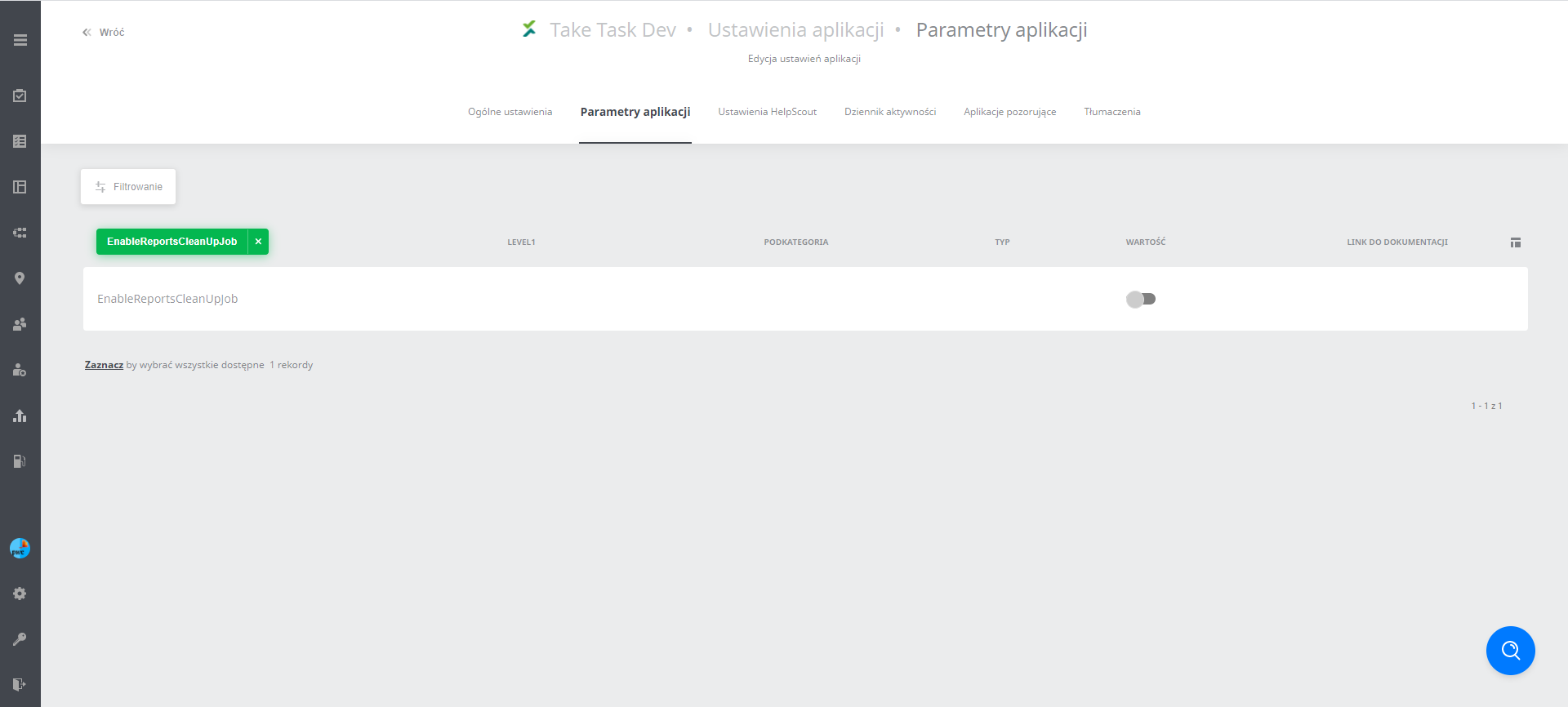
- EnableReportsCleanUpJob - turns on the job responsible for cleaning up reports
- KeepReportsRetentionInDays - number of days for which reports remain available after they are generated
- RemoveReportsBatchSize - batch*** size when deleting reports
- MaxReportsCleanedPerJob - maximum number of reports that can be cleaned up when the job runs
(Practical example: if the number of reports meeting the condition is greater than this value, they will be cleaned up the next day)
Note! If a report was generated earlier and the data was then deleted, the previously generated link to the report will no longer open.
Where to find the parameters responsible for automatic data cleanup:
- In the application settings, in the application parameters tab, find the parameter you are interested in. Example:
Where to find the parameters that set how far back data is kept (2 parameters per task):
-
Retention time of task configuration data: on the left
-
Retention time of task execution data: on the right