
Forced first password change
On this page
Changing the first password in the mobile application
To protect the privacy of user data, a first password change feature was created, which requires users to create their own password for their application account.
After you enter the user login and the initial password, the application automatically takes you to the password change view.
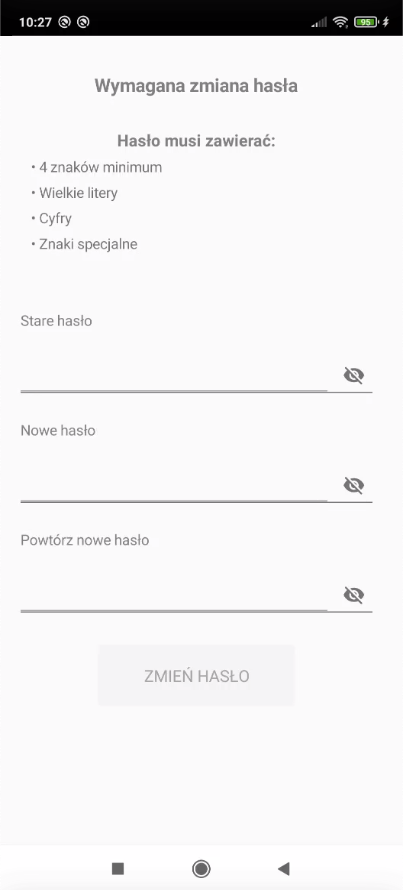
The view above contains the following information:
- New password requirements (if any)
- Field for entering the old password
- Field for creating a new password (meeting the requirements above)
- Field for confirming the new password
Each field lets you turn on password visibility. To do this, tap the crossed-out eye so that the text/numbers you type become visible.
After filling in the fields shown, tap the Change Password button.
If the password change was completed correctly, after tapping the Change Password button the application takes you to its main screen. If the user enters the new password incorrectly or it does not meet the requirements, a password change error message appears.
Changing the first password in the web panel
The user can change the first password both in the mobile application and in the web panel.
To change the password in the web panel, enter the user login and the initial password and then log in.
The panel takes you to the password change view below.
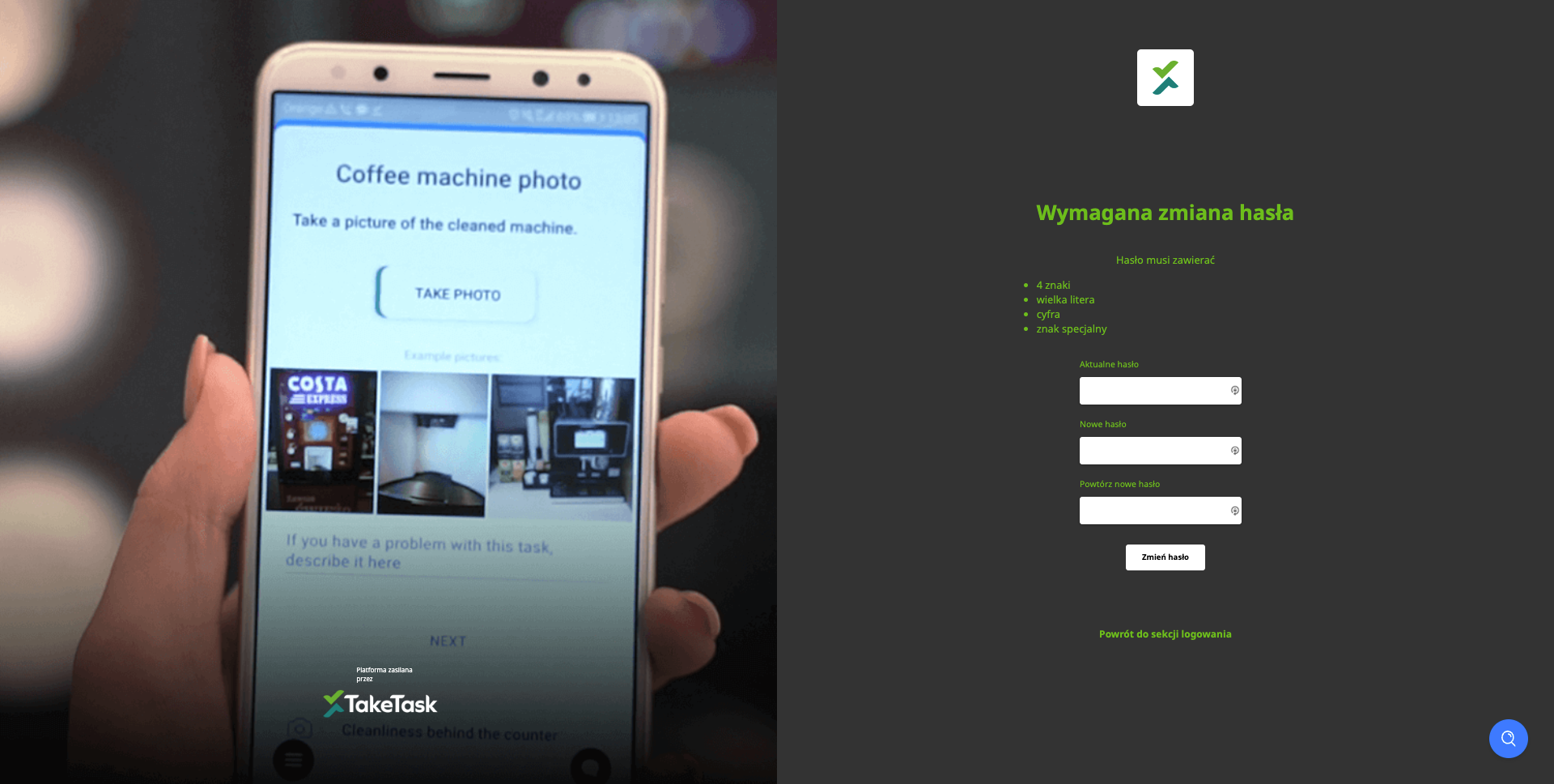
A screen appears with the following information:
- New password requirements (if any)
- Field for entering the old password
- Field for creating a new password (meeting the requirements above)
- Field for confirming the new password
Each field lets you turn on password visibility. To do this, click the crossed-out eye so that the text/numbers you type become visible.
After filling in the fields shown, click the Change Password button.
If the password change was completed correctly, after clicking the Change Password button the web platform takes you to its start view. If the user enters the new password incorrectly or it does not meet the requirements, a password change error message appears.
Feature configuration
To turn on the forced first password change and set the required password elements, please contact your application administrator.