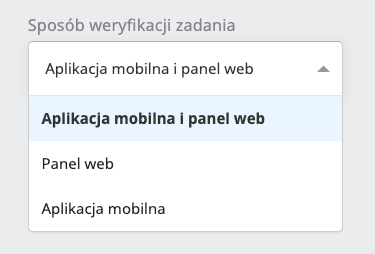
Task verification method
Every task performed in the application can be subject to verification. Currently a task can be verified through the web panel or through the mobile application in the Task evaluation tab.
Once the permissions are configured accordingly, users can verify the executions of all users, of their subordinates, or depending on their access to specific locations and tasks. To complete the verification configuration, the administrator creating a new task or configuring an existing one can decide how the executions coming from the given task can be verified.
The task verification method is configured in the General settings view when editing and creating a task. More about creating and editing a task here.
The currently available options and their meaning:
- Mobile application and web panel - the option set by default in every task; it means that executions from the given task can be verified both through the web panel (more about verification in the web panel here) and through the mobile application in the Task evaluation tab
- Web panel - when this option is selected, executions from the given task will not be displayed in the mobile application, regardless of the manager’s permissions
- Mobile application - when this option is selected, executions from the given task will not be displayed in the web panel on the list of executions; they can be verified only through the mobile application