
Task templates - view description
To open the list of templates, select the corresponding icon in the main menu. The visibility of this icon depends on the permission: Can display the task templates page

Description of the template list view:
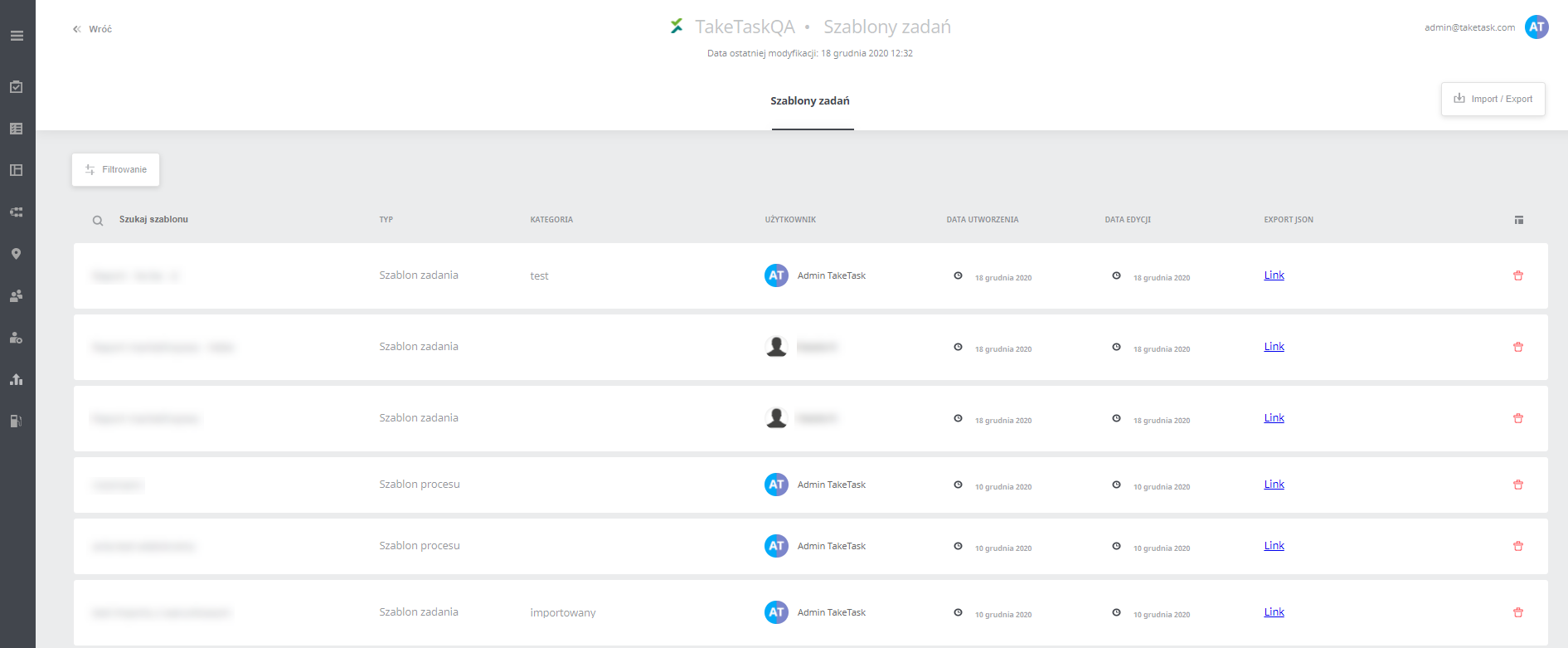
Search template - lets you quickly search for a template by name
Type - there are two types of templates: process template and task template
Category - the column lets you categorize templates. The field can be edited only here, and the category entered is not displayed anywhere else in the application.
Creation date - the date the template was created
Edit date - the date the template was last overwritten (if missing, the template’s creation date)
Export Json - clicking the link downloads a json with the export of the given template
Trash icon - the icon lets you delete the template
Import - lets you import a previously exported json
Export - lets you export in bulk the jsons of the tasks visible on the list
Filtering - filtering templates by columns:
- Id
- Name
- Category
- Type
- Id of the user who created the template
- Creation date
- Edit date
Import -