
Task rejection - communication to all levels
The TakeTask application lets you create a task in which a superior evaluates photos.
When a photo is evaluated by more than one person, notifications about the photo’s rejection can be sent to everyone in the hierarchy.
If the EnableHierarchicalSuperiorAppUserIdsForAgent flag in the configuration:
- is disabled, the message is sent only to the person who evaluated the photo last
- is enabled, the message is always received by the person who took the photo and the person who evaluated it last. When there are more evaluators and we want each of them to receive the notification, superiors must be assigned to the individual users. How to set a superior
Example:
User X taking the photo, Superior 1 (S1), Superior 2 (S2), Superior 3 (S3)
- User X must have superior S1 assigned
- S1 must have superior S2 assigned
- S2 must have superior S3 assigned
Thanks to this, in the scenario where:
- User X takes the photo
- S1 accepts the photo
- S2 accepts the photo
- S3 rejects the photo
Each of them, including S3, will receive a notification that the task has been rejected.
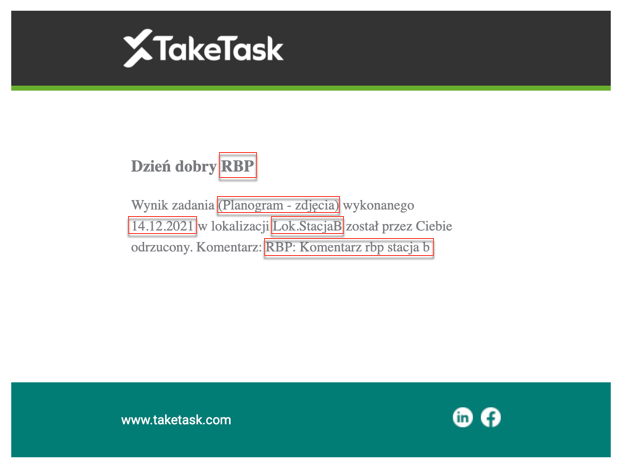
Content of the email sent to the superior:
Content of the email to the subordinate:
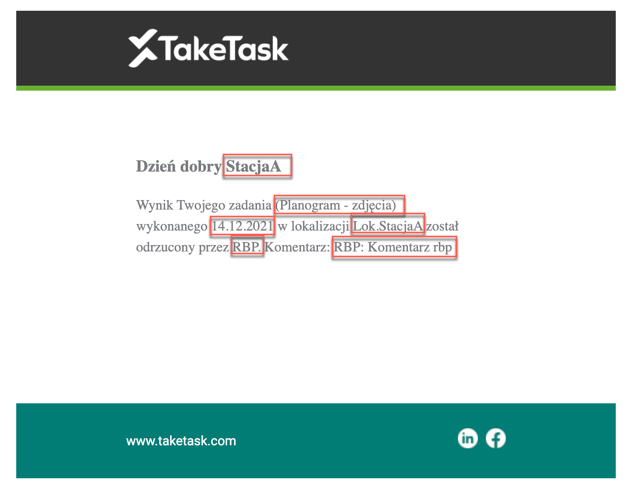
The elements marked in red are variable content that depends, among other things, on who performs the task, which task they perform and in which location they perform it.