Reports
PDF Report
One of the reports that can be generated after a task is completed and sent by e-mail to a specified recipient is a PDF report. It contains information about the location ID, address, date of completion and user. It contains all the commands used in the task and users’ answers. It can be adjusted to the needs of individual customers.
Example PDF report
Dedicated reports
.xlsx reports are generated directly from the application or automatically sent by e-mail to designated persons. To download the report, log in to the administration panel, click on the TOOLS tab and select ‘Reports’ .
The format of the reports can be adjusted to the individual needs of the client. The most frequently chosen types of reports by the clients are:
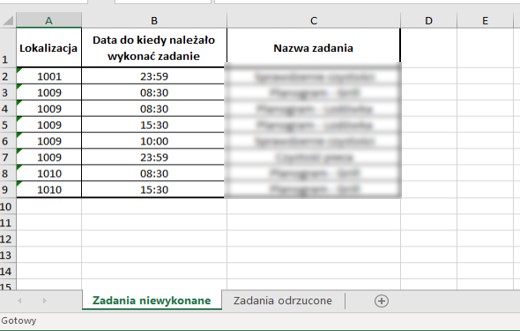
1. Report of not completed/rejected tasks - This contains information about the number of tasks not completed, together with information about the name of the task in question within a specified time period. It can be generated for a selected user or several users and contains information per location. The second tab of the report contains analogous information and concerns tasks that have ‘Rejected Task’ status.
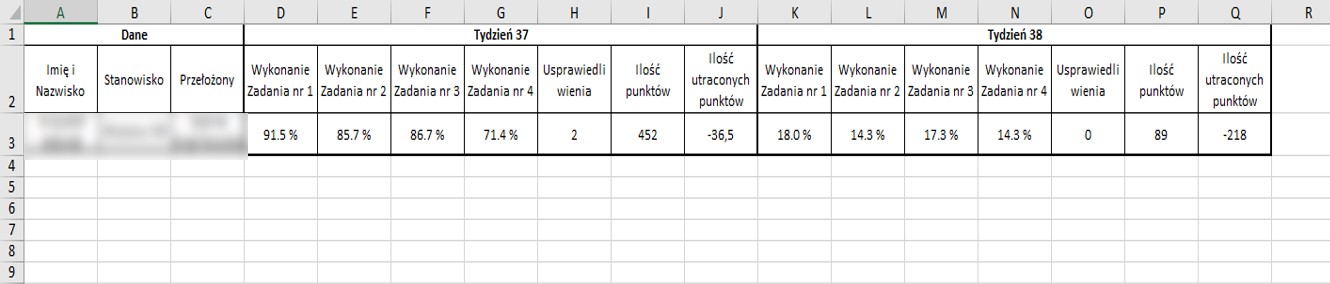
2. Task completion report for the superior - This report contains a percentage list of task completion in locations assigned to the user. The date is presented in weekly or monthly cycles.