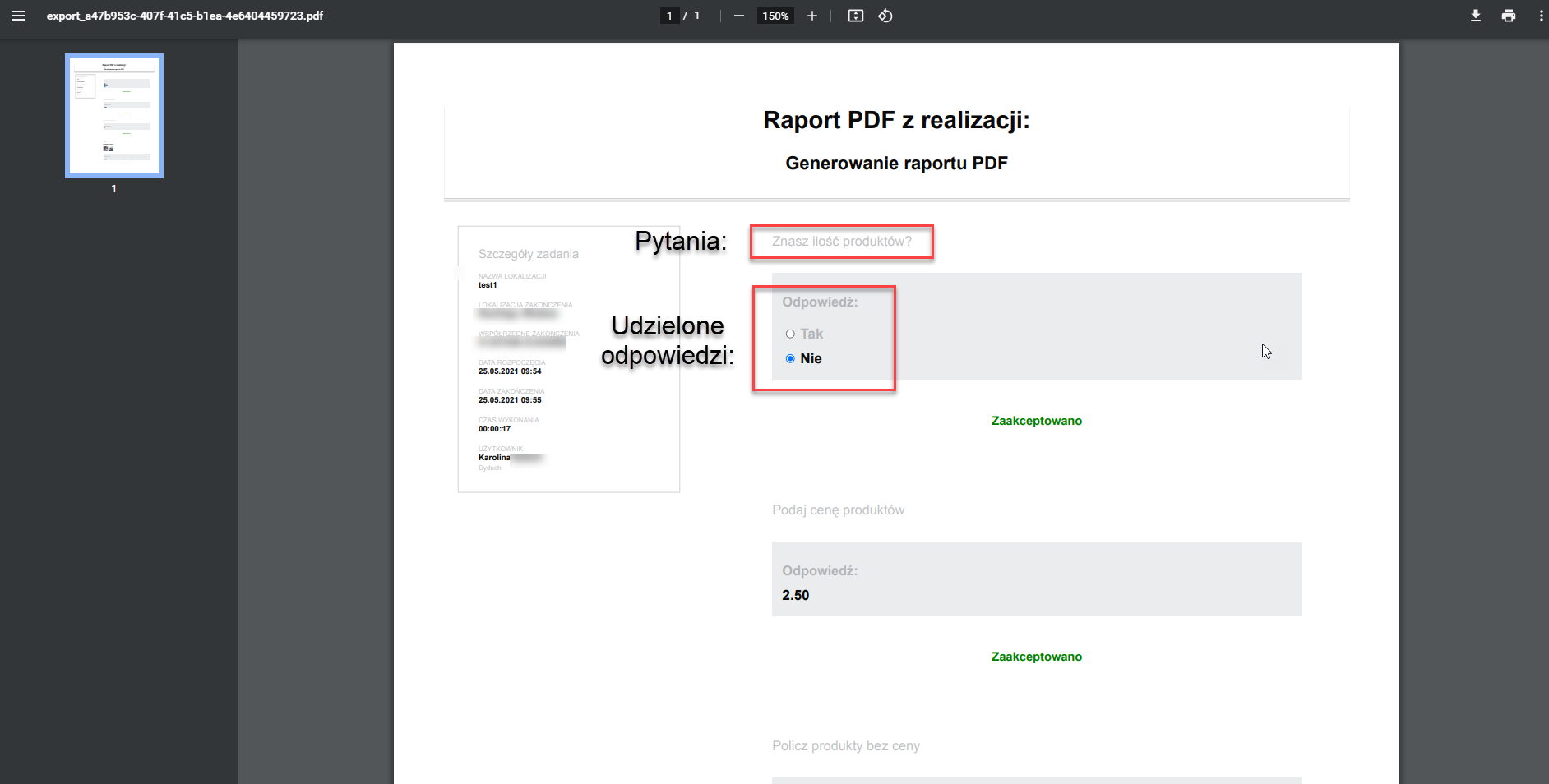
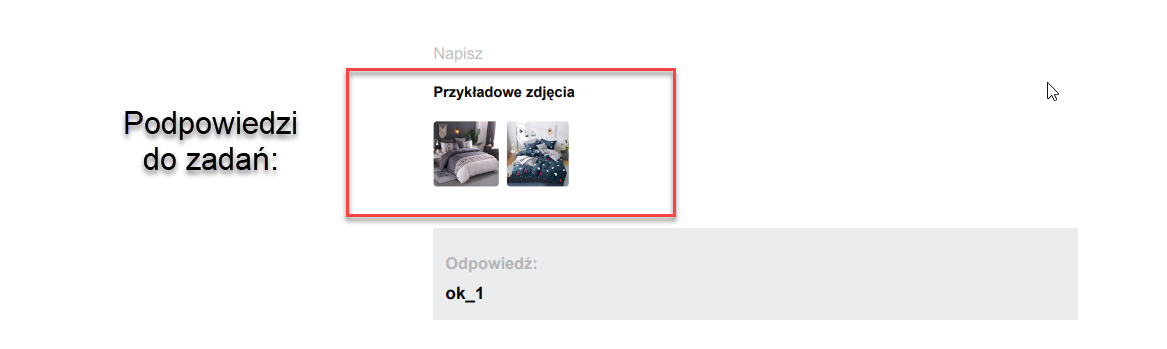
PDF report of a completed task
The application lets you generate a task execution report. To do this, take the following steps:
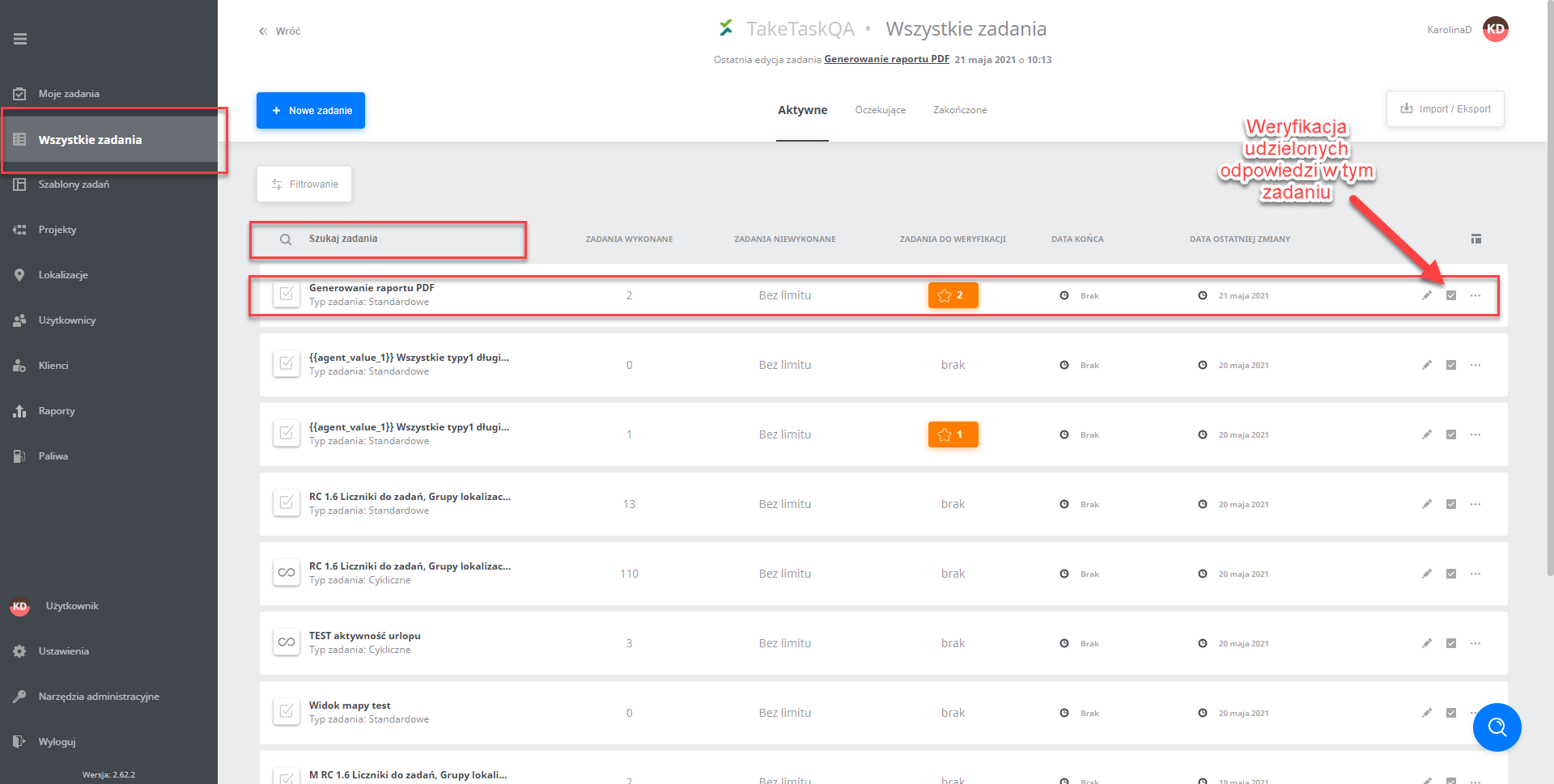
- To find a specific task, go to the All tasks tab and find the task on the list or use the task search.
- Then, on the right, select the Answer verification option
- After going to the verification of the answers submitted in the task, select the task execution from which you want to generate a PDF report.
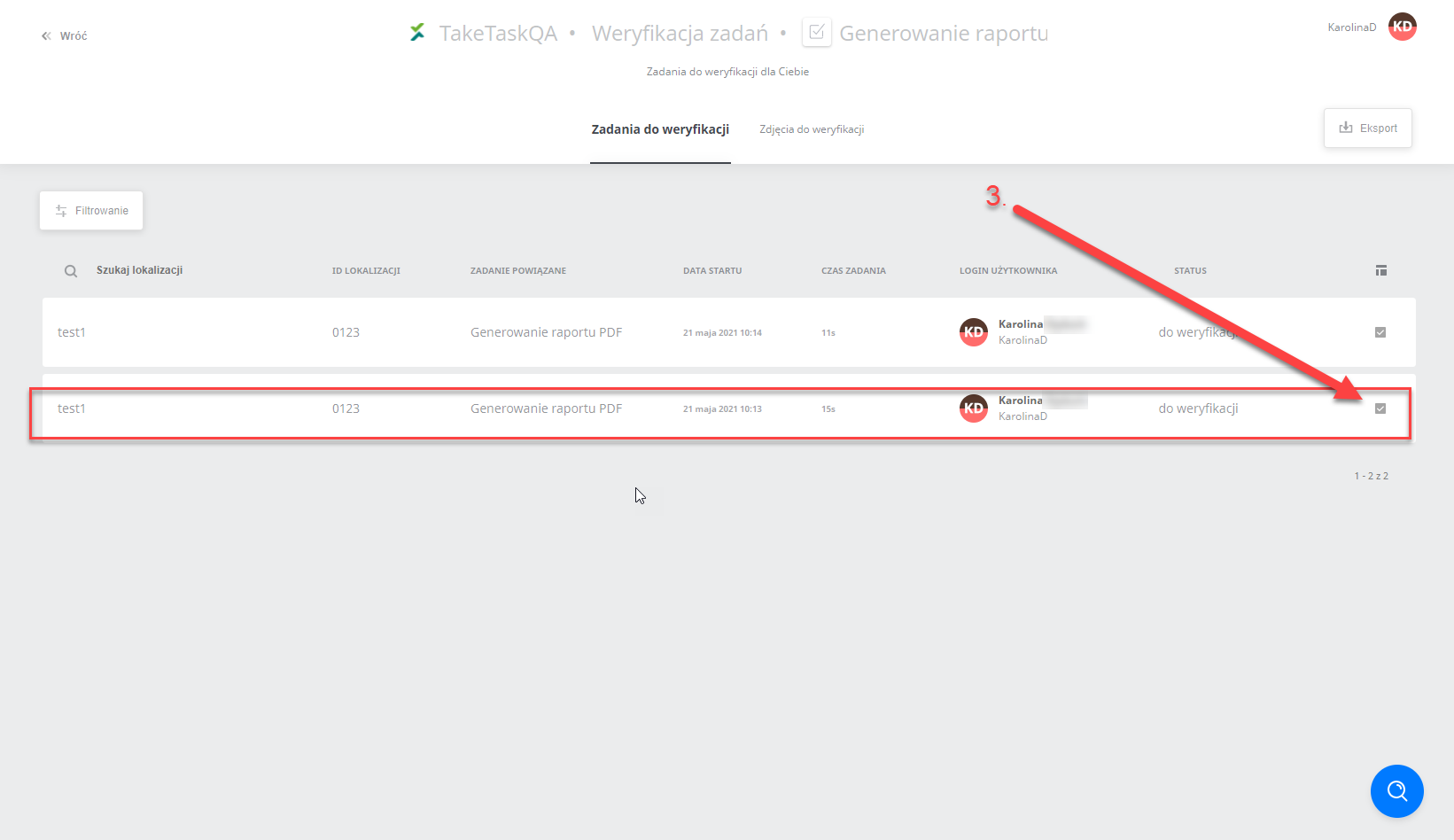
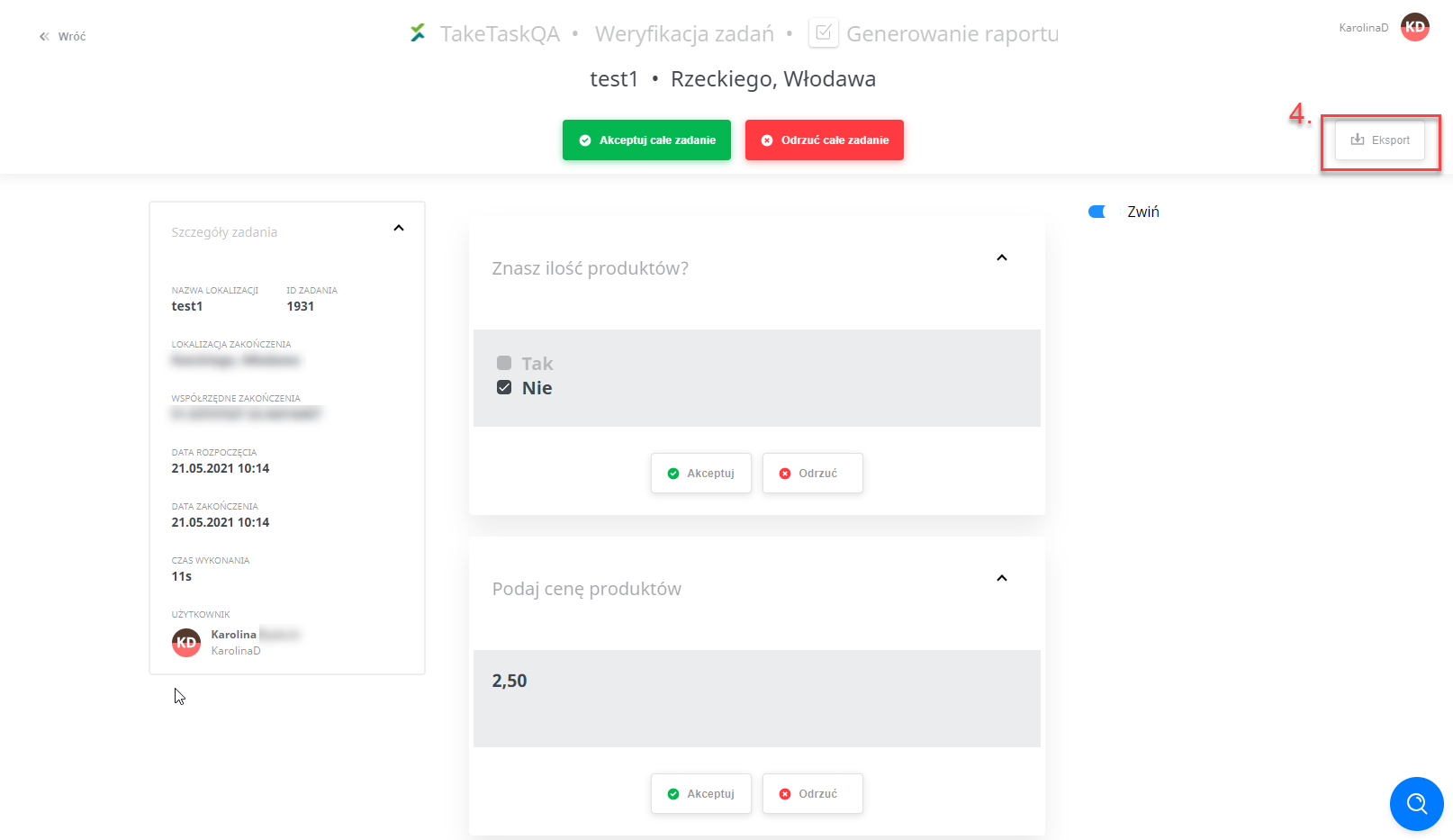
- The next step is to go to the Export option, where the task execution report will be generated.
In this view you can accept or reject the submitted answers; read more about this in the article Task verification.
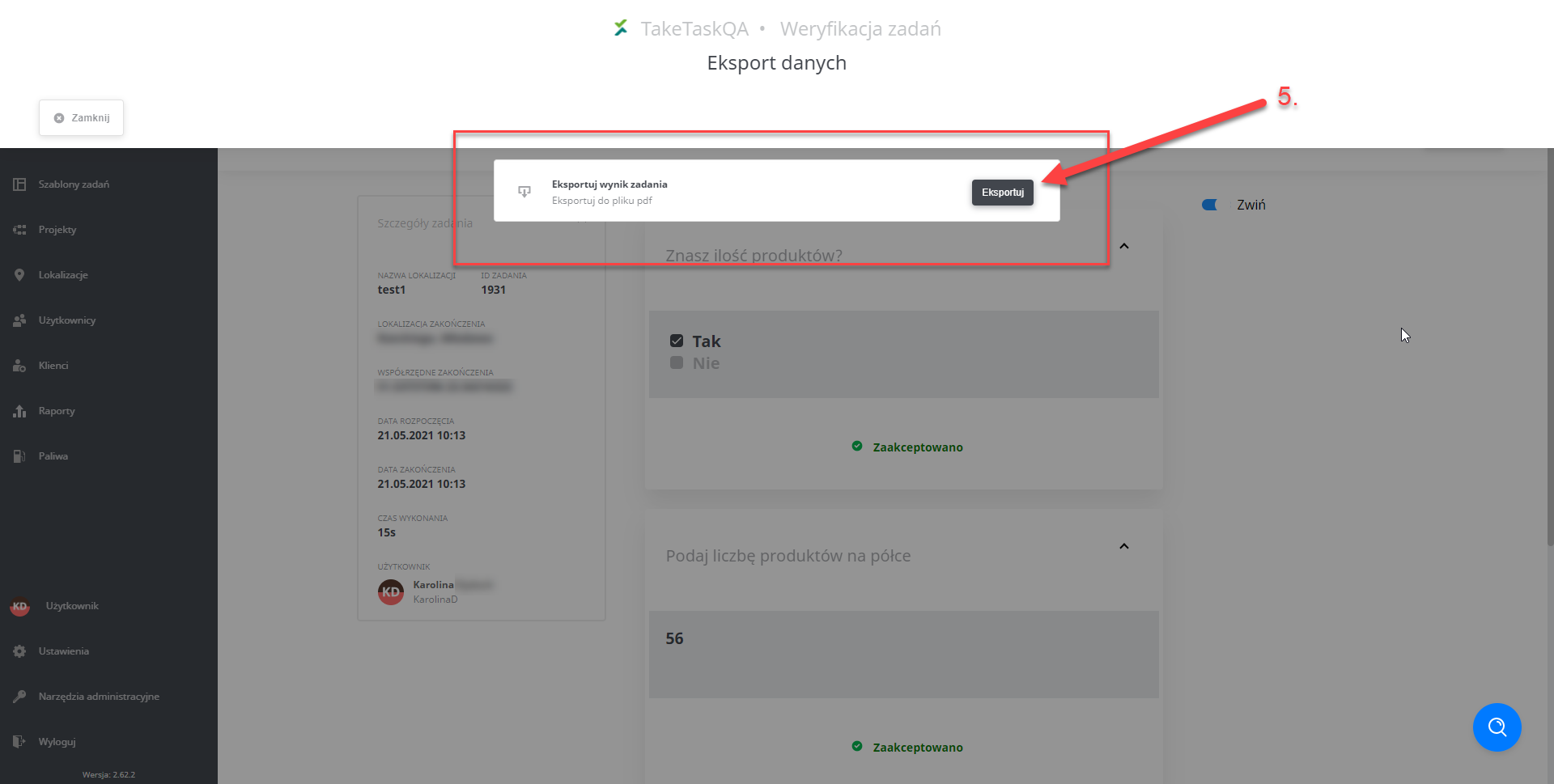
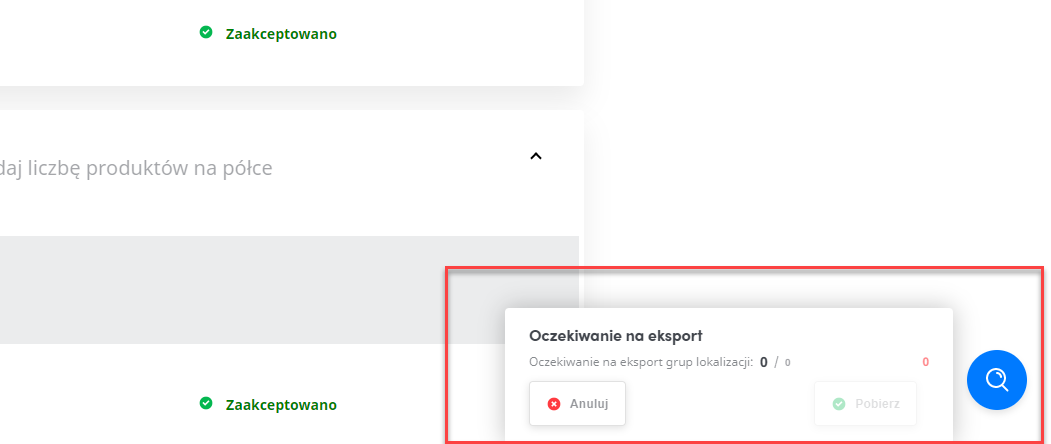
- After going to the export, confirm generating the report by clicking Export and watch the progress in the dialog box in the bottom right corner of the page.
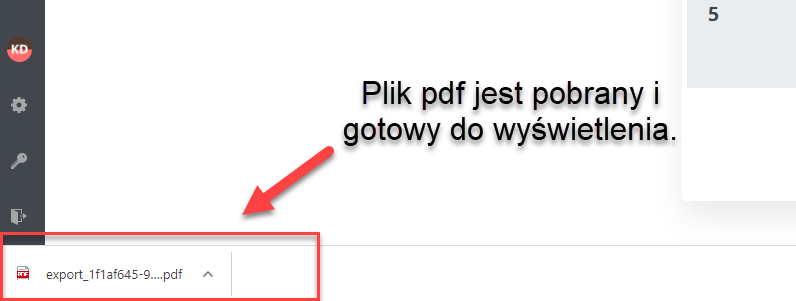
- After the file is downloaded, you see a notice in the bar at the bottom of the page:
IMPORTANT: You can generate answers from only one set of answers at a time.
Report appearance and its elements: