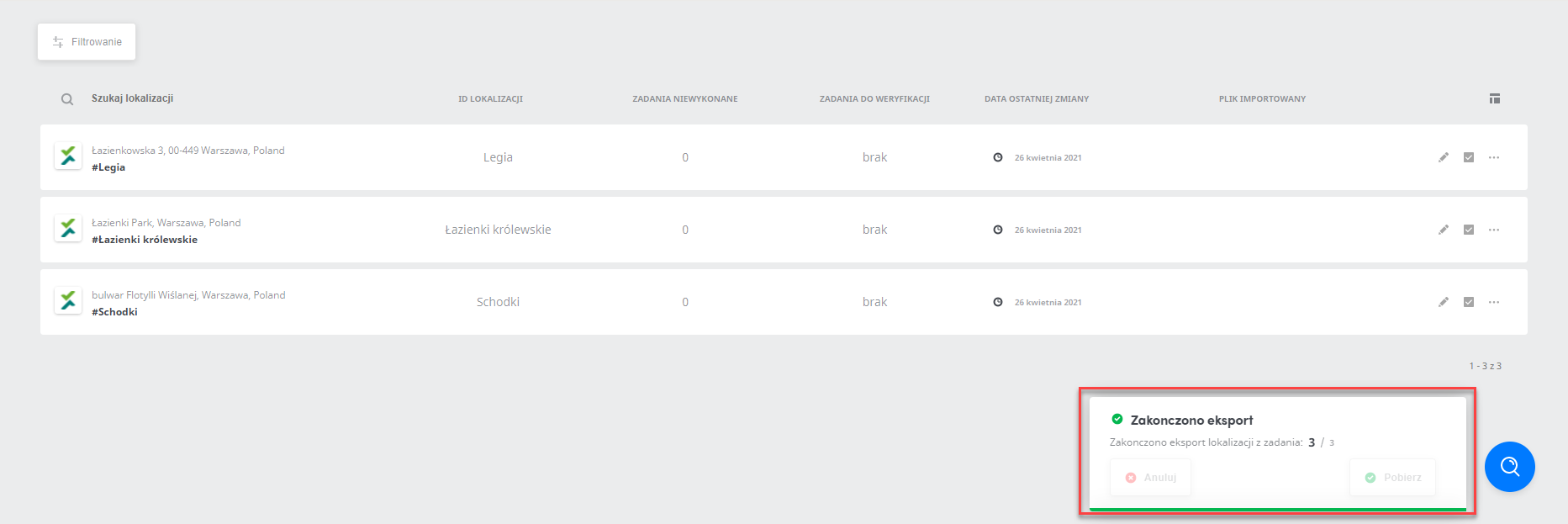
Exporting locations from a task
The function for exporting locations from a given task is used to export a location group to a spreadsheet. This function lets you get the data you are interested in quickly and easily. It will be helpful when creating reports on the locations in which a given task is performed.
To export locations from a task, go to the Tasks tab and select the task from which you want to export the locations.
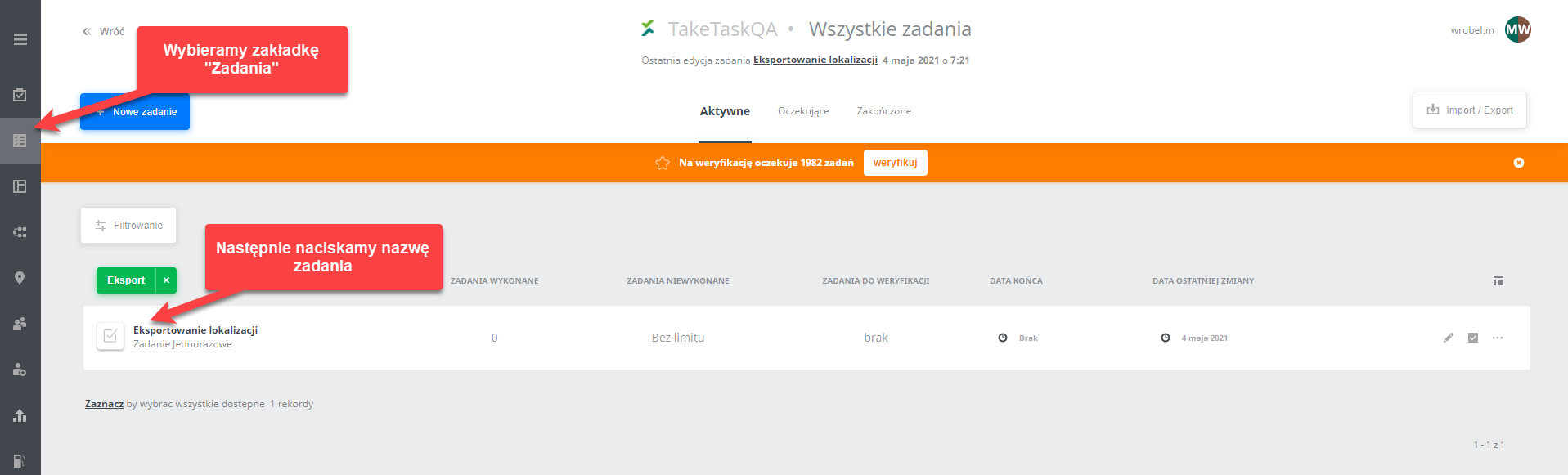
Next, go to the selected location group by clicking its name.

After clicking the location group, all locations of that group will be displayed. To export the locations, press the “Export” button.
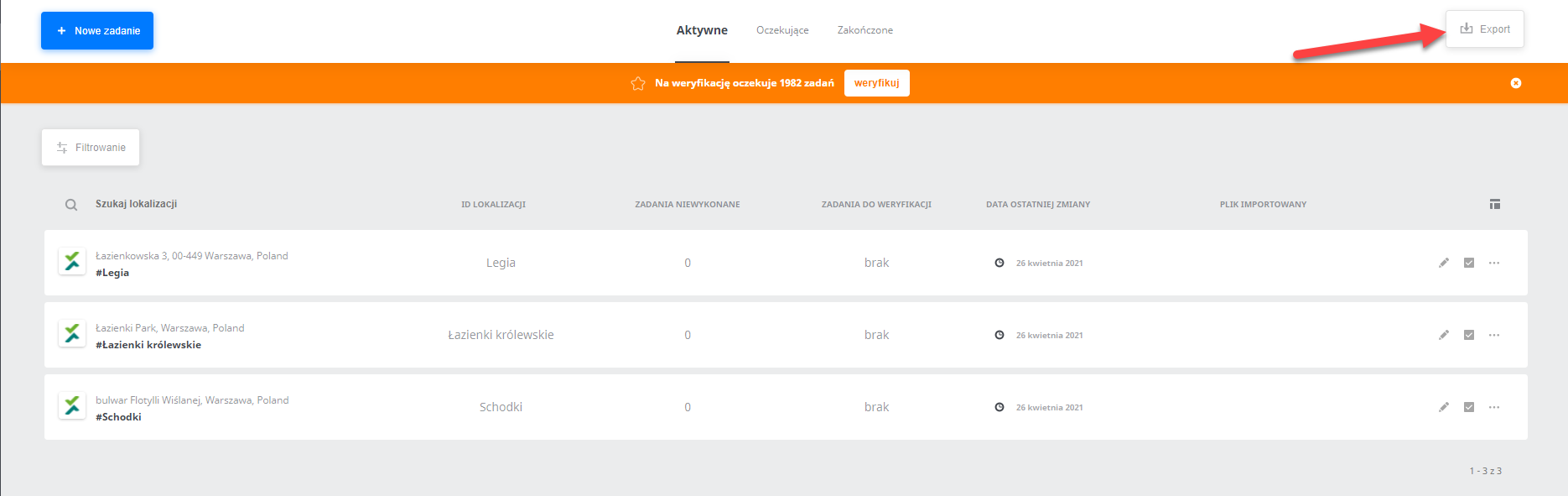
A data export message will then be displayed. Press the “Export” button. After pressing it, the options you can export will appear. These are: ID, Name, Location ID, Location address, Date of last change, Task to verify, Task to perform, Task not performed and Imported file. After selecting the specific data, choose the file format.
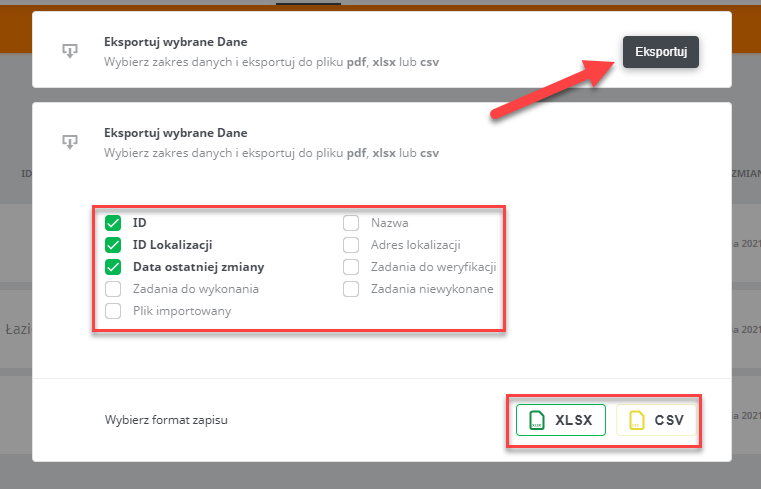
After choosing the file format, the file will be downloaded.