
Preview of previous executions
Sometimes, while performing a task, the user wonders what answer was given during the previous execution in the given location. To make it possible to view the previously given answer to a command, the administrator can enable this option in the command’s advanced settings. Previewing the previous answer can be particularly useful when performing audit tasks or checklists.
The option to preview the previously given answer is enabled by ticking the checkbox named Enable preview of previous executions available in the advanced settings section when editing the task process (in the generator).

Commands for which the previous answer preview option is available:
- Open Question
- Yes/No
- Add Price
- Number
- Counting Question
- Take Photo
- Multiple Choice
- Single Selection
- Date
- Audit
The button for viewing the last answer is available on the card of the given command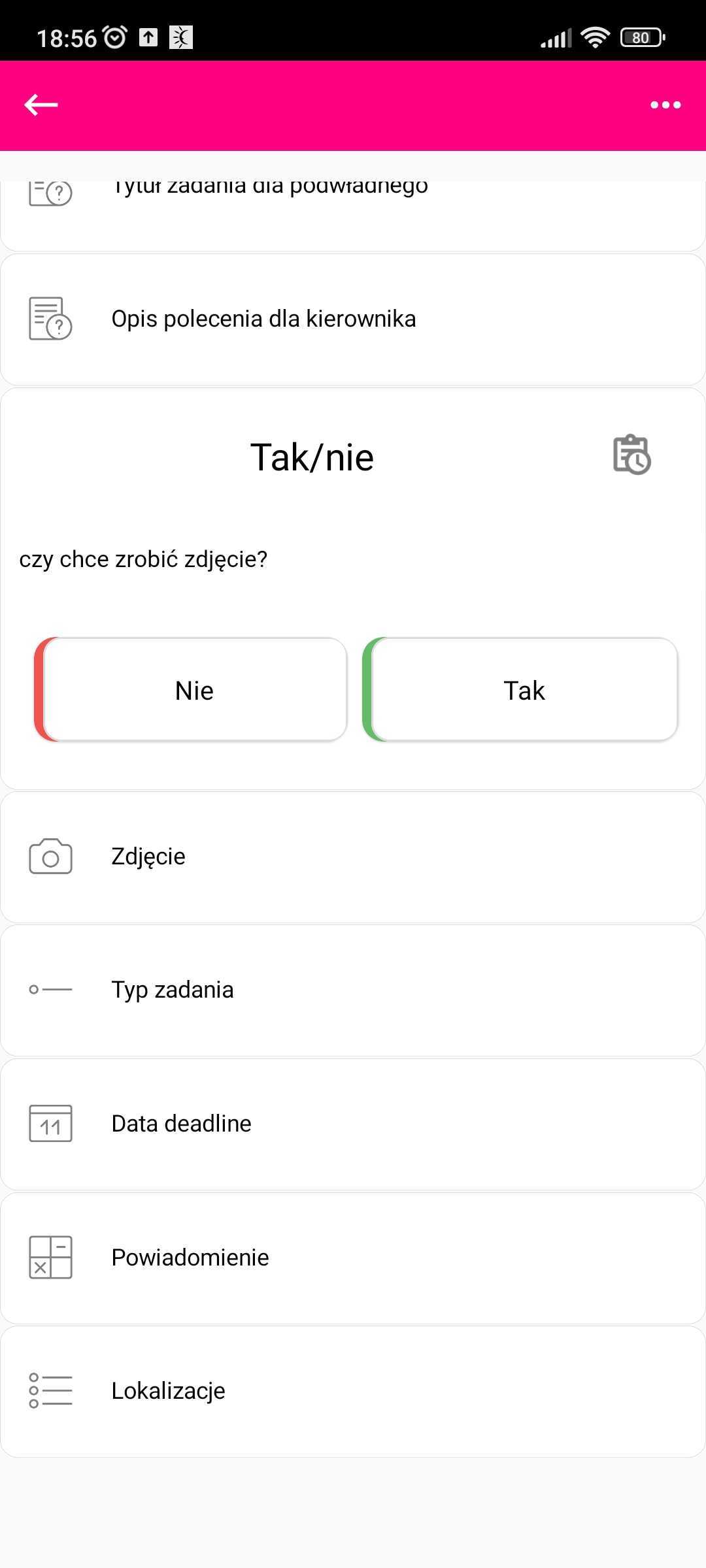
The last answer is displayed in an additional window, which can be closed by tapping anywhere on the screen outside the window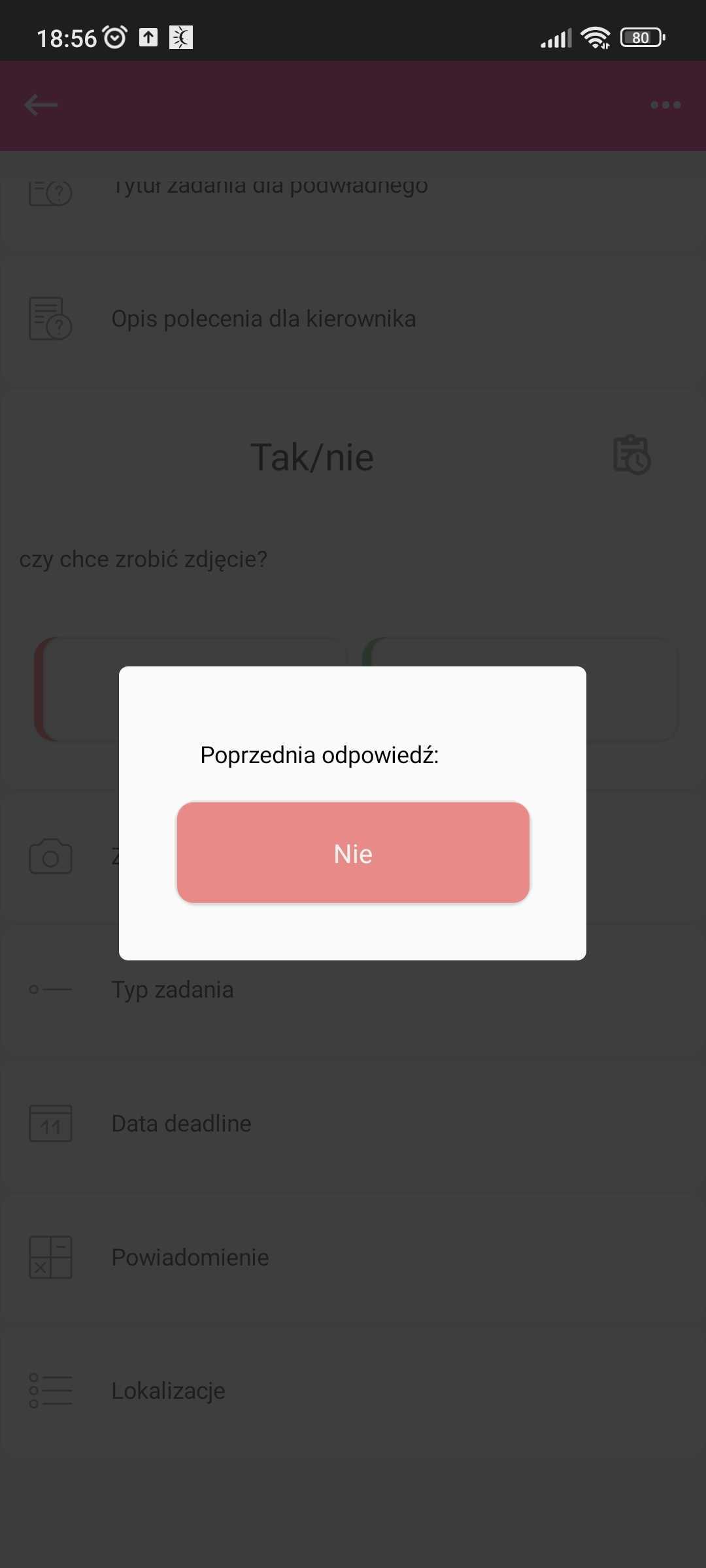
NOTE: The last answer is taken from the last execution of the task in the given location, regardless of which user performed the task previously, so the last answer will not always belong to the user currently performing the task.