
Importing values into the Dynamic Single Selection command
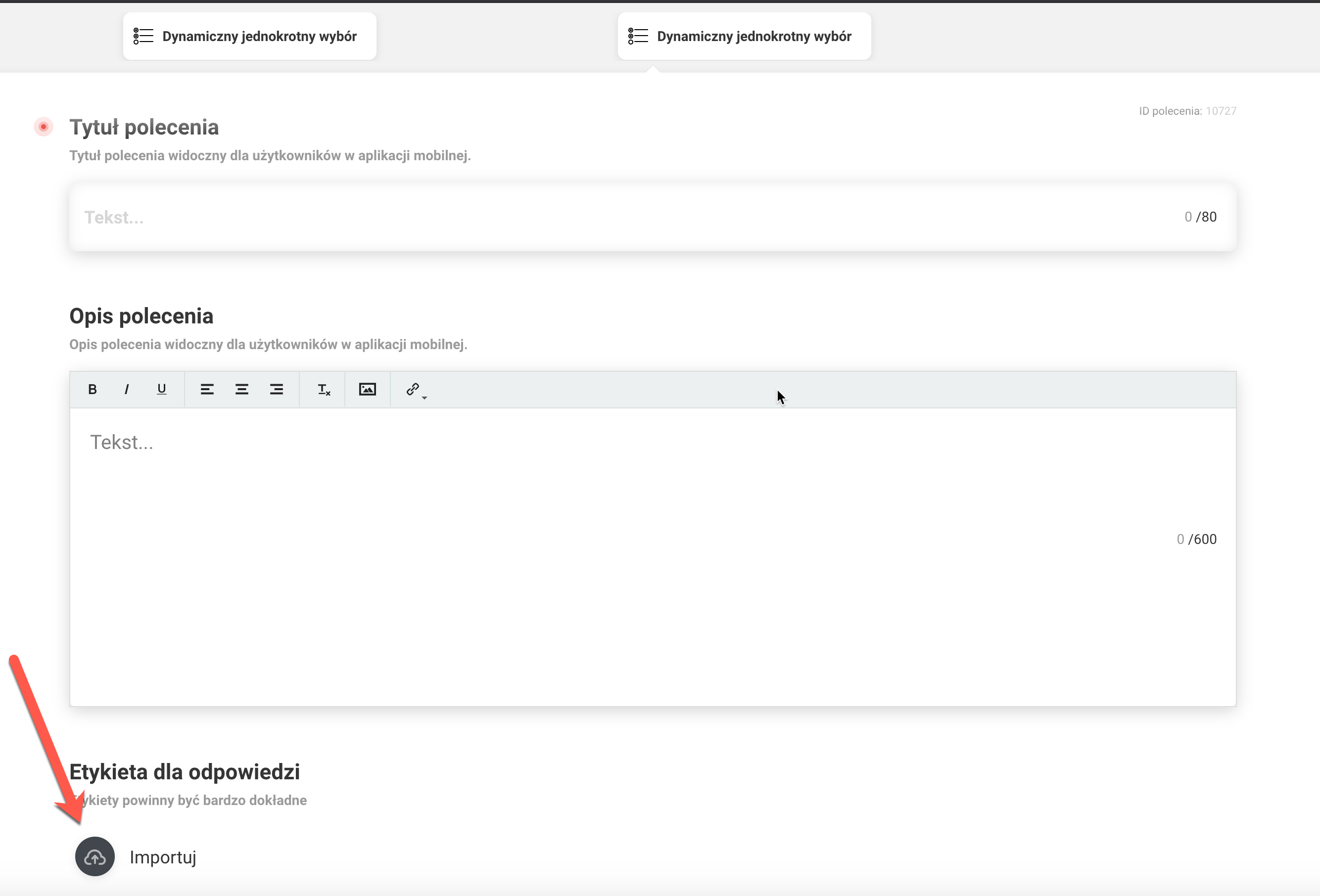
To add answers to the Dynamic Single Selection command, import a csv file. This is the only option available for this command. You must edit the command and import the file via the ‘Import’ option (marked in the photo below).
Description of columns:
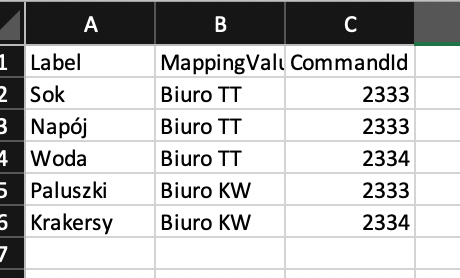
- Label - Here enter the answer that will be visible to the user in the mobile app.
- Mapping Value - Here enter the exact name of the location where the answer from the ‘Label’ column should appear.
- CommandID - Command ID to which a given answer is to lead after selecting it.
An example of a completed file where in a location named ‘Office TT’ items on a single selection list (Juice, Beverages, Water) will appear and performing the same task in a location named ‘Office KW’ the items on this list are Bread Sticks and Crackers respectively. In column C you can see to which command you will go onto next (the next step).
Please note that the import file should be saved as a CSV UTF-8 file.