Record Video command
N****OTE! The Add Record Video command has been hidden in the application since version 1.55; work is under way to rebuild the command so that it runs stably on many devices.
The Record Video command lets you record video footage. You must specify the minimum and maximum length of the file. The user can preview the recorded video. Because the footage is not compressed, transferring the files may take a long time. The Record Video command can be freely combined with other commands, without restrictions. This command is very useful when, for example, you want to record a video for a service request.
Mandatory configuration parameters:
- Command title (up to 80 characters)
- Command description (up to 600 characters)
- Minimum recording length – if recording is stopped before the set minimum time, the footage will not be saved
- Maximum recording length – recording will be stopped once the set time has elapsed
Optional configuration parameters:
- Graphic hint for the command
- Additional comment field (up to 400 characters)
- Whether the command is mandatory
The recorded video will be ready for download in Task Verification:
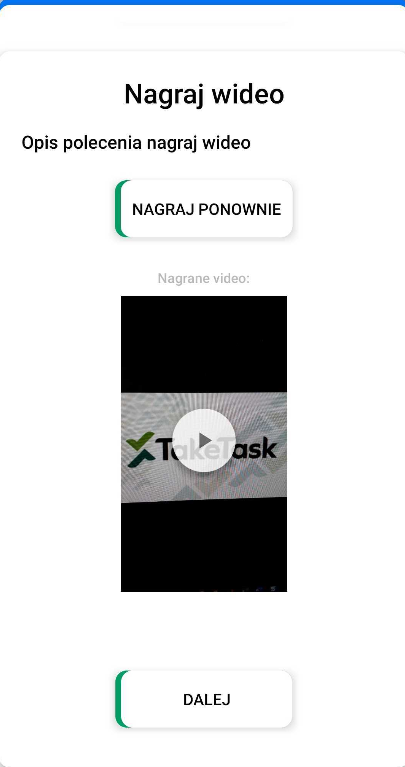
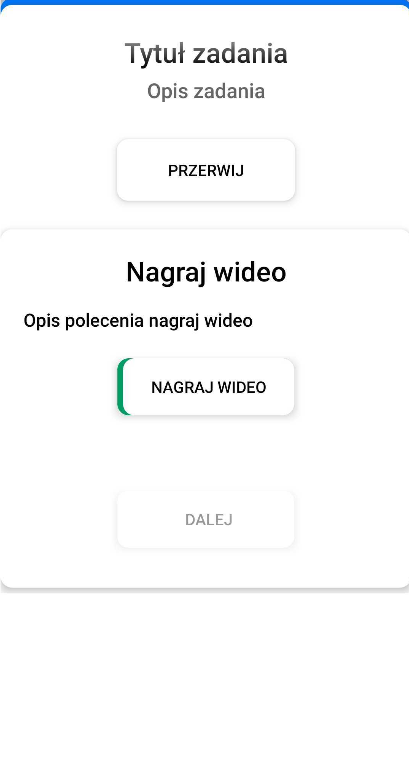
Command view in the mobile application (from the left):
- The command before recording the video
- The command after recording the video