
Creating an ad-hoc task
An ad-hoc task is a one-off task that must be completed within a short period of time. It is most often issued in the case of an emergency (for example, an immediate recall of stock).
If this task is important, we can set the type of task as ‘priority’.
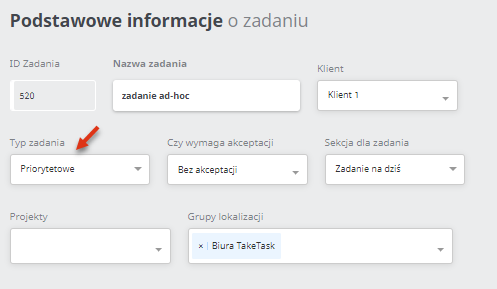
To create such a task, you must set the task parametersaccordingly.
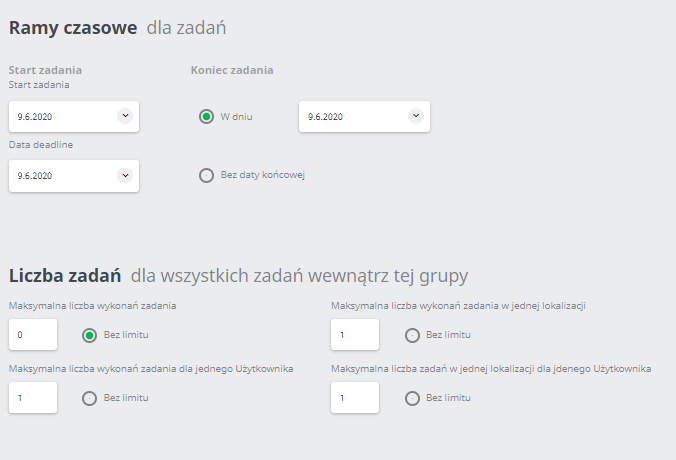
If you want each user to perform only one task, set the maximum number of task executions for one User 1.
You can also set the parameters so that the user will only perform the task once in the location, but the maximum number of task executions for one user can be higher. This will cause the user to perform the task in several different locations. The maximum number of task executions is set to No limit. This means that there is an unlimited number of tasks per user (execution of the task by one user will not make the task disappear for other users).
View in the mobile application: